

1
/
of
6
Akimart
AKImart 10.1" Wall Planner Digital Calendar & Chore Chart, Smart Full HD Touchscreen Interactive Display for Family Schedules, Meal Planner, To Do List, Great for Organizing Your 2026 Calendar
AKImart 10.1" Wall Planner Digital Calendar & Chore Chart, Smart Full HD Touchscreen Interactive Display for Family Schedules, Meal Planner, To Do List, Great for Organizing Your 2026 Calendar
Regular price
$399.00 AUD
Regular price
Sale price
$399.00 AUD
Quantity
Couldn't load pickup availability
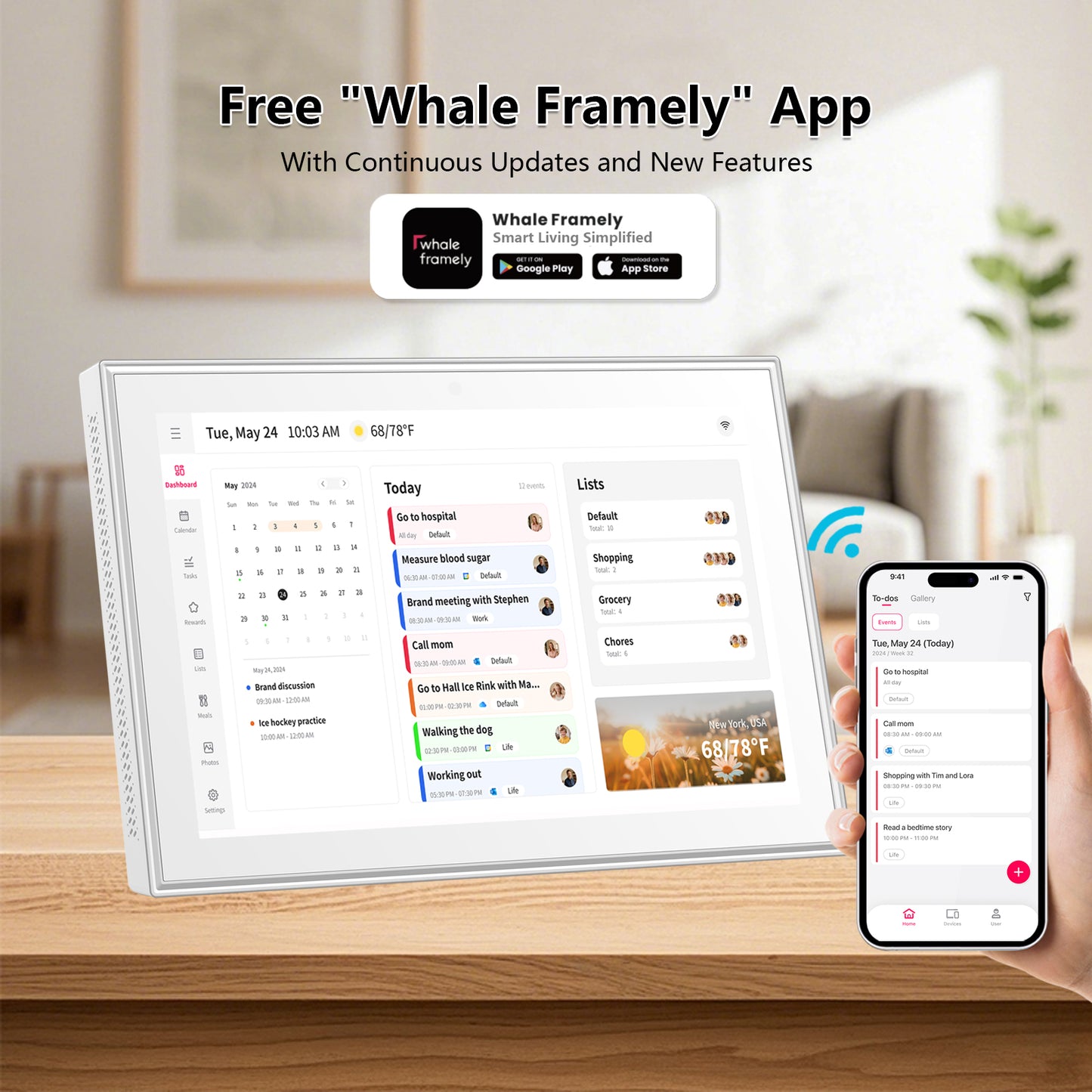
- 【All-in-One Digital Family Hub】: Streamline your family's life with a WiFi-enabled smart calendar that makes scheduling visual and effortless. Color-code and assign tasks to each member, plan weekly meals, and enjoy a digital photo frame that showcases your favorite memories 24/7.
- 【Auto-Sync & Easy Setup】Just plug it in, connect to Wi-Fi, and sync your calendars—your events load automatically and stay up to date. Precise timekeeping is built in, with automatic synchronization to internet time servers. Add events or chores directly on the device, or via the free mobile app. Compatible with Google Calendar, iCloud, Outlook, Cozi, Yahoo Calendar and TeamSnap.
- 【Meal Planner & Chores Chart】Build responsibility and healthy habits in your children with the interactive chore chart. Then, display your weekly meal plan to keep the whole family in sync—and finally put an end to the daily "What's for dinner?" question.
- 【Live Frame & Screensaver】Turn moments into memories. Share photos and videos directly from your phone using the free app—no matter where you are. Watch your gallery come alive as cherished family moments move from hidden files to a dynamic display that everyone can enjoy.
- 【The Gift of a Calmer Day】Simplify your family's life with the AKImart smart calendar—the all-in-one command center for a more organized, stress-free home. It displays schedules, plans meals, and doubles as a beautiful digital photo frame that showcases your favorite memories. The perfect gift for any busy family.
- 【Tips for First-Time Use】① Give it a moment to settle in – After powering on for the first time, let the system process data without rushing. Avoid rapid operations while it gets ready. ② Check for the latest updates – Follow the on-screen prompts to install any available system updates. This ensures your device runs smoothly with the newest features.
- 【Covered By One Year】: AKImart Digital Calendar is covered by a one-year and enjoys online support to help you with any issue you might encounter. If you have any problem with the Digital Calendar, please contact us, we will do our best to help you.